
DuckDuckGo, optional Duck.ai
Category ProductivityApp screenshots
About DuckDuckGo, optional Duck.ai
FEATURE HIGHLIGHTS
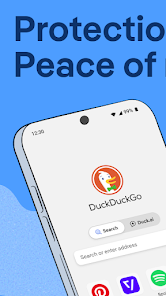
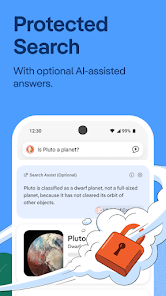
Protect Your Searches by Default: DuckDuckGo Search comes built-in, so you can easily search online without being tracked.
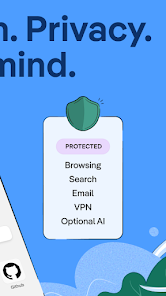
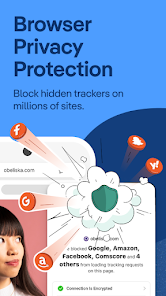
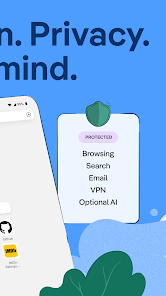
Shield Your Browsing History: Our 3rd-Party Tracker Loading Protection blocks most trackers before they load, greatly exceeding what most popular browsers offer by default.
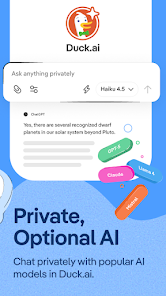
Chat Privately With AI: Duck.ai lets you have private conversations with 3rd-party AI models, anonymized by us and never used to train AI.
Secure Your Email (Optional): Use Email Protection to block most email trackers and hide your existing email address with @duck.com addresses.
Block Ads: Our browser blocks most video ads, and stops invasive trackers from loading on sites, effectively eliminating targeted web ads.
Automatically Enforce Encryption: Shield your data from network and Wi-Fi snoopers by forcing many sites to use an HTTPS connection.
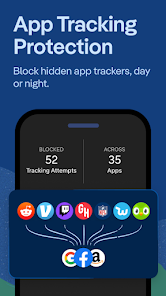
Protect Your Personal Information in Other Apps: Block most hidden trackers in other apps around the clock (even while you’re sleeping) and prevent 3rd-party companies from invading your privacy with App Tracking Protection. This feature uses a VPN connection but is not a VPN. It works locally on your device and does not collect personal data.
Escape Fingerprinting: Make it harder for companies to create a unique identifier for you by blocking attempts to combine info about your browser and device.
Sync and Back Up Securely (Optional): Sync encrypted bookmarks and passwords across your devices.
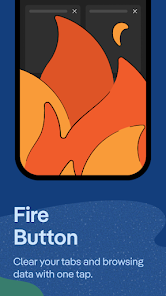
Clear your tabs and browsing data in a flash with the Fire Button.
Banish cookie pop-ups and automatically set your preferences to minimize cookies and maximize privacy.
DUCKDUCKGO SUBSCRIPTION
Subscribers get:
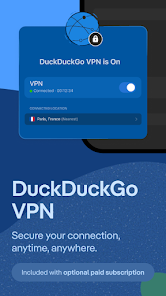
- Our VPN: Secure your connection on up to 5 devices.
- Advanced AI Models in Duck.ai: Chat privately with AI models built for complex tasks.
- Personal Information Removal: Find and remove personal info from sites that store and sell it (access on desktop).
- Identity Theft Restoration: If your identity is stolen, we’ll help restore it.
DuckDuckGo Subscription Pricing & Terms
Payment will be charged automatically to your Google Account until you cancel, which you can do in app settings. You have the option to provide an email address to activate your subscription on other devices, and we will only use that email address to verify your subscription. For terms of service and privacy policy, visit https://duckduckgo.com/pro/privacy-terms
Read more about our free Tracking Protections at https://help.duckduckgo.com/privacy/web-tracking-protections
Privacy Policy: https://duckduckgo.com/privacy/
Terms of Service: https://duckduckgo.com/terms
Note about 3rd-Party Tracker Protection and Search Ads: while there are some limitations following search ad clicks, viewing ads on DuckDuckGo search is anonymous. Learn more here https://help.duckduckgo.com/privacy/web-tracking-protections
Privacy. Simplified. ™
Download from the official store


Questions & Answers
Q1 Why don't you provide direct APK file downloads?
To ensure your device's security and data privacy, we strictly adhere to official distribution policies and only direct you to Google Play and the App Store. Official stores automatically match your device model, OS version, and region, delivering the most stable, untampered legitimate apps, while avoiding potential malware or malicious code that third-party files might carry.
Q2 What are the benefits of downloading from Google Play / the App Store?
✅ Automatic updates - When a new version is released, the store pushes it to you automatically - no need to manually hunt for installation packages.
✅ Security scanning - Both stores rigorously review uploaded apps for viruses, trojans, and excessive permission requests.
✅ Legal compliance - They comply with regional software distribution regulations, reducing issues with copyright or geographic restrictions.
✅ Easy and fast - One-click install, no need to enable Install from unknown sources manually.
Q3 What if my phone doesn't have Google Play or the App Store?
Android users: Most legitimate Android devices come with Google Play. If you cannot access it due to network issues, we recommend using your device's official built-in app market (e.g., Huawei AppGallery, Xiaomi GetApps, Samsung Galaxy Store) to download the app - these also have security review mechanisms.
Apple users: The App Store is the only official distribution channel for iOS. Please do not install enterprise-signed or jailbroken versions via third-party tools, as this may void your warranty and compromise your privacy.
Q4 Is there any difference between an app downloaded from an official store and an APK package?
The core content is identical, but the official store delivers an installation package optimized for your specific device (e.g., split ABIs, screen resolution), resulting in a smaller size and smoother performance. Generic APK packages may contain redundant files or even be injected with ad or tracking SDKs. We strongly recommend using the store version whenever possible.
Q5 After I jump to the store, if I see multiple apps with the same name, how do I choose the genuine one?
The link we provide points directly to the official developer's page, so clicking it will take you straight to the authentic app - you just need to tap Install without searching manually.
If you do search by yourself and encounter similar names, always check:
① Whether the developer name matches the official one (e.g., Google LLC or the app's owning company);
② Whether the icon is clear and the description professional;
③ Whether the download count, ratings, and reviews are reasonable (genuine apps typically have hundreds of thousands or more installs).
The safest approach: always use the Go to Official Download button on our page - never search for similar names in the store to avoid fake or ad-ridden copies. We only direct you to official links, saving you the hassle of identification.
