
Get RapidTV - Short Dramas from toolhubgo
Category Video Players & EditorsApp screenshots
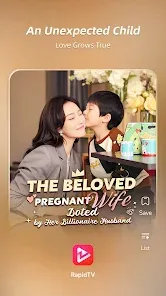
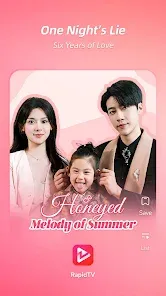
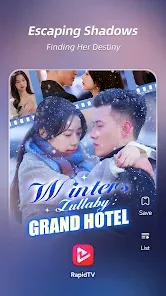

About RapidTV - Short Dramas
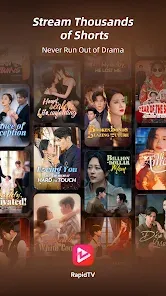
🔥RapidTV Not just a short video application, but also a passionate community of short drama enthusiasts. We are committed to providing you with high-quality theatrical content, allowing you to share your favorite shows with friends and experience a movie level viewing experience anytime, anywhere. 🔥🔥 We have a variety of exciting short drama genres, including time travel, blockbuster, and emotional dramas, to ensure that you can find your favorite scripts in our app. Now, the most outstanding binge watching tool is in your hands, enjoy it to the fullest! 🔥The reasons why RapidTV will make you unable to put it down are as follows: 👇-The rich library of short drama content covers various genres and types, from romantic love to suspenseful revenge, satisfying audiences of all tastes.-All short dramas have their own copyright and will never be interrupted. Each episode is a short and immersive journey.-The personalized recommendation function will recommend exclusive short drama lists based on your viewing history and preferences, and the more you use them, the more surprising they will be.-Provide high-definition program content, whether you use a mobile phone or a tablet computer, to present every detail and enjoy a visual feast.-Each episode is only a few minutes long and viewed vertically, which is more in line with the fast-paced lifestyle of modern audiences.-By watching only a small amount of advertisements, you can watch all episodes for free, allowing you to have unforgettable experiences even in fragmented time.🎬 Explore RapidTV - your holy land of short dramas, with unlimited plot at your fingertips. Join us now and discover stories that resonate with your emotions!
Download from the official store

You May Like

Questions & Answers
Q1 Why don't you provide direct APK file downloads?
To ensure your device's security and data privacy, we strictly adhere to official distribution policies and only direct you to Google Play and the App Store. Official stores automatically match your device model, OS version, and region, delivering the most stable, untampered legitimate apps, while avoiding potential malware or malicious code that third-party files might carry.
Q2 What are the benefits of downloading from Google Play / the App Store?
✅ Automatic updates - When a new version is released, the store pushes it to you automatically - no need to manually hunt for installation packages.
✅ Security scanning - Both stores rigorously review uploaded apps for viruses, trojans, and excessive permission requests.
✅ Legal compliance - They comply with regional software distribution regulations, reducing issues with copyright or geographic restrictions.
✅ Easy and fast - One-click install, no need to enable Install from unknown sources manually.
Q3 What if my phone doesn't have Google Play or the App Store?
Android users: Most legitimate Android devices come with Google Play. If you cannot access it due to network issues, we recommend using your device's official built-in app market (e.g., Huawei AppGallery, Xiaomi GetApps, Samsung Galaxy Store) to download the app - these also have security review mechanisms.
Apple users: The App Store is the only official distribution channel for iOS. Please do not install enterprise-signed or jailbroken versions via third-party tools, as this may void your warranty and compromise your privacy.
Q4 Is there any difference between an app downloaded from an official store and an APK package?
The core content is identical, but the official store delivers an installation package optimized for your specific device (e.g., split ABIs, screen resolution), resulting in a smaller size and smoother performance. Generic APK packages may contain redundant files or even be injected with ad or tracking SDKs. We strongly recommend using the store version whenever possible.
Q5 After I jump to the store, if I see multiple apps with the same name, how do I choose the genuine one?
The link we provide points directly to the official developer's page, so clicking it will take you straight to the authentic app - you just need to tap Install without searching manually.
If you do search by yourself and encounter similar names, always check:
① Whether the developer name matches the official one (e.g., Google LLC or the app's owning company);
② Whether the icon is clear and the description professional;
③ Whether the download count, ratings, and reviews are reasonable (genuine apps typically have hundreds of thousands or more installs).
The safest approach: always use the Go to Official Download button on our page - never search for similar names in the store to avoid fake or ad-ridden copies. We only direct you to official links, saving you the hassle of identification.
